KISH Phoenix Pontoon
V8 triple-pontoon party boat. 40 knots top speed and lifts up onto its pontoons at speed. Seats 4 — Captain plus 3 passengers — plus a parasail included in the package. X Lights with disco mode, a 69-station radio and auto fenders.
Download PDF manual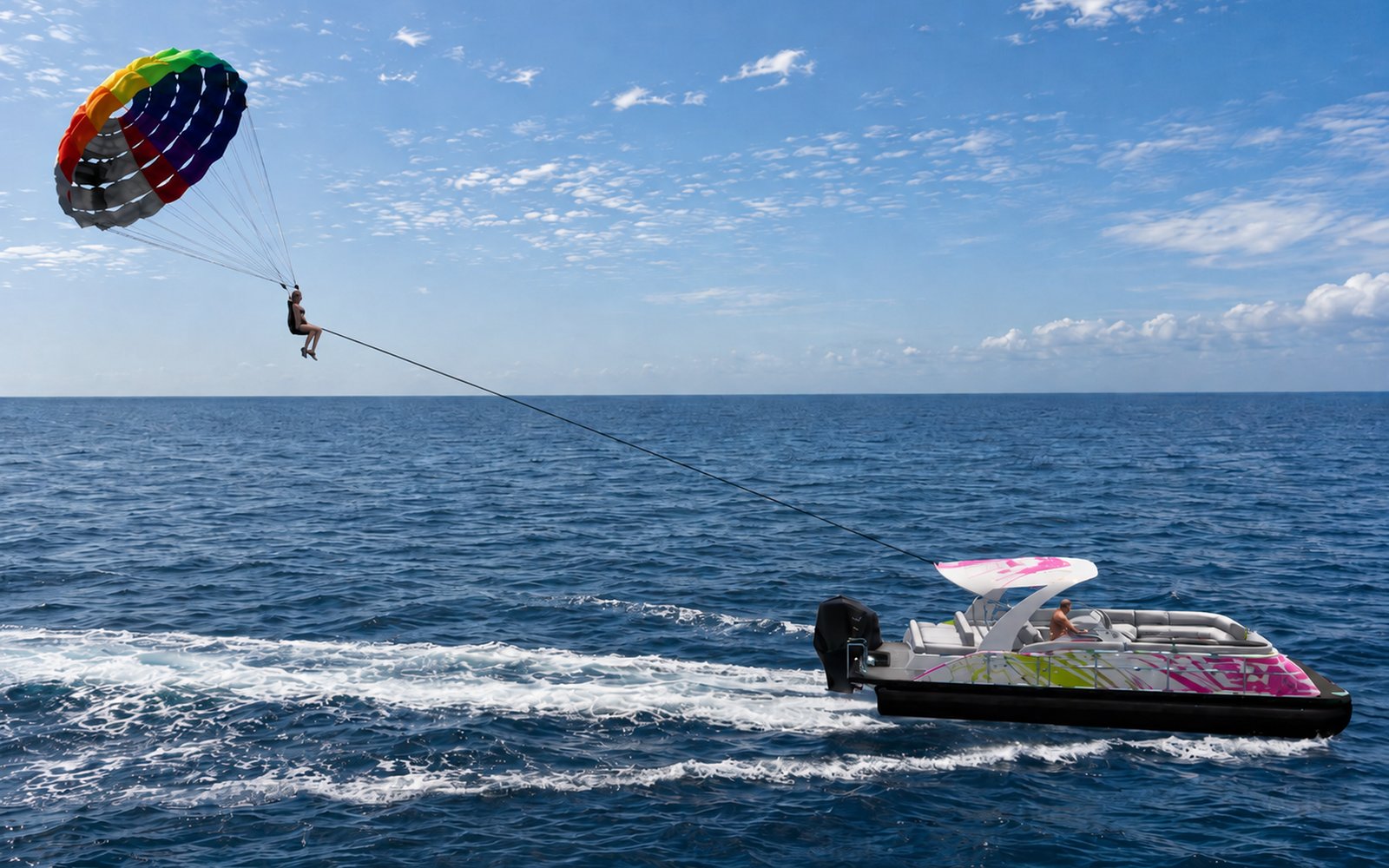
Getting started
Rez in water and sit in the Captain's seat. Accept the controls request, then use the seat menu:
| Button | What it does |
|---|---|
| ▶ START | Starts the engine. Fenders and ropes stow automatically. The cooling-water tell-tale starts a few seconds later, like a real outboard. |
| 🚫 STOP | Stops the engine. Fenders and ropes deploy once the boat has slowed down. |
| 📢 Horn | Sounds the horn. |
| 📷 Camera | Toggles the chase camera on or off. |
Driving
Throttle works in steps and holds its speed — you don't need to keep a key pressed. Your speed setting is shown in local chat.
| Key | Action |
|---|---|
↑ / W | Throttle up 2 kn per press (max 40 kn). In reverse, the first press cancels reverse. |
↓ / S | Throttle down 2 kn per press. Keep pressing below 0 for reverse (max 15 kn). |
PgUp / E | Jump straight to 15 kn. |
PgDn / C | Throttle straight to 0. |
↑ + ↓ together | Clear throttle to 0. |
← / → | Steer. |
Shift + ← / → | Sharp turn — twice as tight, for docking and tight channels. |
From about 10 kn the bow starts to rise, and by around 32 kn she's fully up on the pontoons. Steering reverses when you're going astern, like a real boat.
Who can drive
The owner always can. Set who else can from the menu: Owner Only, Group, Whitelist or Public. Whitelisted drivers go in the drivers notecard, one UUID per line. Anyone else who sits in the Captain's seat is welcomed aboard and moved off the helm.
X Lights
Touch the light controller to open the menu (owner only).
| Option | What it does |
|---|---|
| ON / OFF | Master switch for all the deck lights. |
| Select | Pick one light (or ALL) to change. Tapping a light cycles Select → Off → On, so each light can be switched on its own. |
| Colour | 18 preset colours, or Custom — type <R,G,B> in local chat, e.g. <1.0,0.5,0.0>. |
| Intensity, Radius, Falloff, Glow, FB | Fine-tune brightness, light reach, softness, glow and fullbright. |
| Disco | Start/stop colour cycling across every light, with speed and tick controls. |
| Nav | Red port and green starboard navigation lights on or off. |
| Rescan | Re-finds the lights if anything has been relinked. |
Radio
Touch the radio panel for the station menu — 69 free stations given to us by the SL community. Use Next >> / << Prev to page through, pick a station to play, and STOP to turn it off.
Anchor & fenders
| Feature | How it works |
|---|---|
| Anchor | Drop and raise from the menu to hold position. |
| Fenders & ropes | Automatic — they stow when you start the engine and deploy when you stop. They wait until the boat has actually slowed down, so they never pop out under way. |
Seating & eject
4 seats — Captain + 3 passengers. Touch a seat for the pose menu. Fishing and Life on Board pose categories are available from every seat.
Eject: the owner (or up to 3 trusted people in the drivers notecard) can type ej in local chat. A menu lists everyone seated — pick a name to remove them from the boat. Owner and trusted people are never listed.
Parasail
The parasail is included with the Phoenix — a collaboration with W.A.L.T. It carries one extra rider on tow.
Just rez it near the boat — it links up to the Phoenix automatically. No setup needed.
Tips
- Slow down before region borders for a smoother crossing.
- Hit
PgUpfor an instant 15 kn cruise when leaving the dock. - Turn on disco mode and put the radio on — there's room for 4, plus one on the parasail.
- Stop the engine before leaving the boat.